
Audio Cue List
Add MP3 songs, sound effects and backing tracks in performance order.
Production Player PRO keeps the operator focused on the performance, with clear controls, organised productions and practical tools designed for schools and theatre groups.
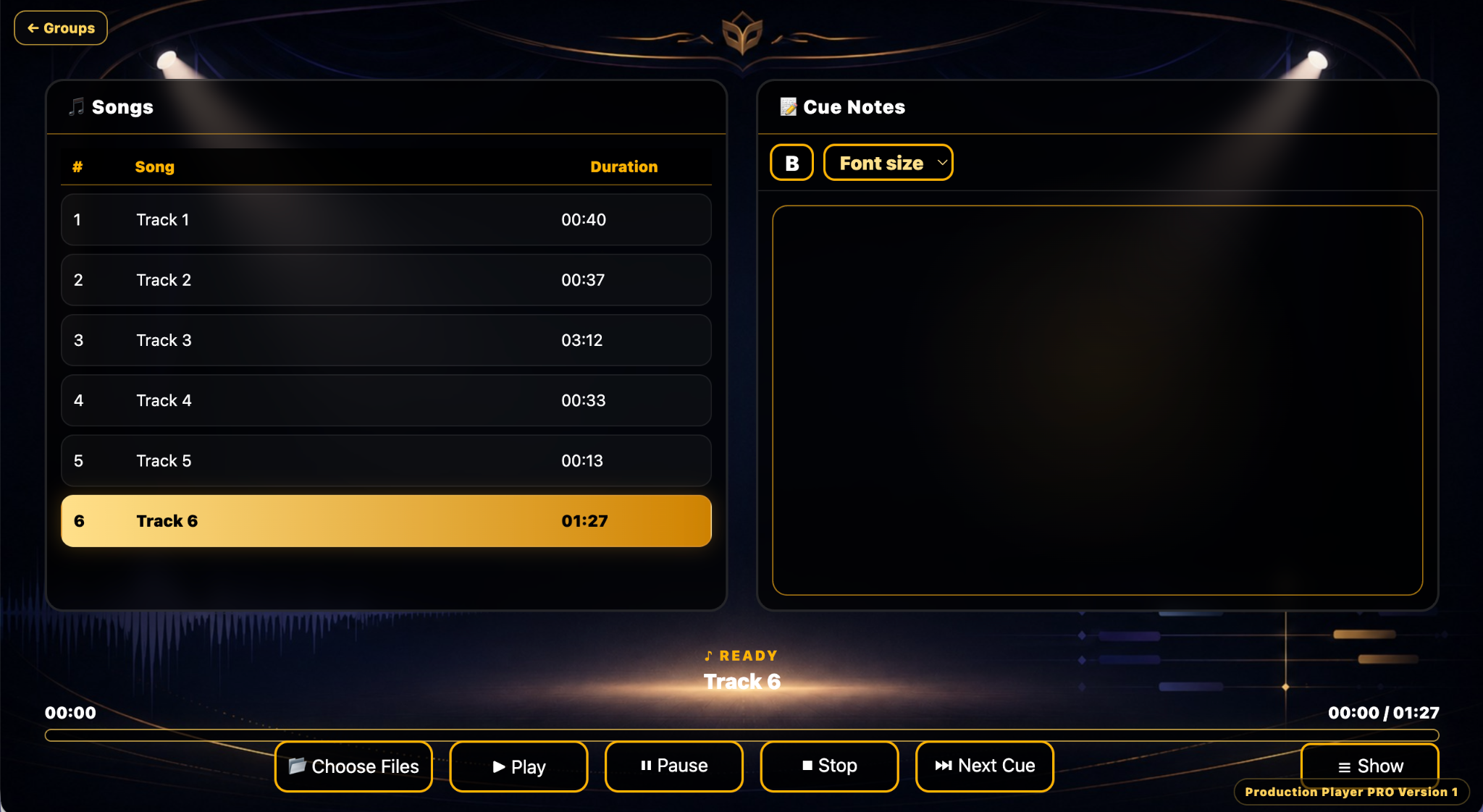
Every feature is focused on helping you prepare, organise and run a production without unnecessary complexity.
Large, clear controls keep the next action obvious, even in a dark hall or during a busy performance.
Add MP3 songs, sound effects and backing tracks in performance order.
Play, pause, stop and advance using large controls designed for live use.
Advance quickly without needing to locate a small on-screen control.
A dark, high-contrast interface keeps controls clear in halls and theatres.
Save songs, notes, artwork and settings together, so each show remains easy to reopen and manage.
Store stage directions, prompts and operator reminders against each song.
Organise work by year, department, club, company or performance type.
Add production artwork, loading splash screens and player backgrounds.
Every production retains its own songs, notes, artwork and settings.
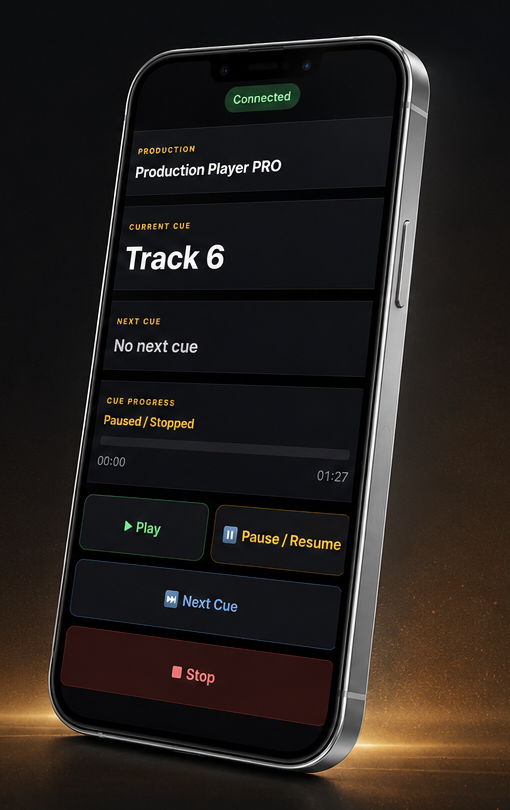
Use a connected phone or tablet when you need simple playback control away from the main computer.
Use a phone or tablet for Play, Pause, Next Cue and Stop over the network.
Production Player PRO is designed for schools, theatre groups and community productions where clear organisation and dependable cue playback matter.
Simple enough for students and staff, with the structure needed for productions, assemblies and performances.
Keep sound cues, notes and production artwork organised from the first rehearsal through to closing night.
A practical alternative to complicated professional systems, without sacrificing confidence during live playback.
Ideal for youth theatre, local companies, performing arts groups and one-off community events.
Install the complete software, test it in your own rehearsal room and keep Version 1 maintained through built-in updates.
Receive Version 1 maintenance updates through the built-in updater.
Test the complete software before entering a permanent activation key.
Install on Windows 64-bit, Apple Silicon Macs and Intel Macs.
Download Production Player PRO and try every feature free for 14 days — no commitment, just a simpler way to run your cues.